It’s been a minute since I last posted. So today I thought I’d just briefly outline how it’s possible to migrate some content between vRealize Operations deployments.
The content management cycle for vROps can leave a little to be desired. With policies, alerts, views, symptoms, recommendations metric configuration, supermetrics, reports and dashboards, there’s little inbuilt capability to quickly extract relevant objects and import to another vROps instance.
But you can use a policy to quickly migrate policy settings, supermetrics, alert definitions, symptoms and recommendations.
Here’s the basic process:
- Build a new template
- Enable locally in the policy all the supermetrics required
- Enable locally in the policy all the alerts required
- Export the policy as an .xml
- Import the policy into the new vROps
That’s ok, but that’s for one policy. What about multiple policies?
Export them as before. Then open up the .xml and copy the <policy> branch to the import template file, adding the extra text ‘parentPolicy=”<ID of the master policy>”.

When this .xml is imported all the children are also imported.
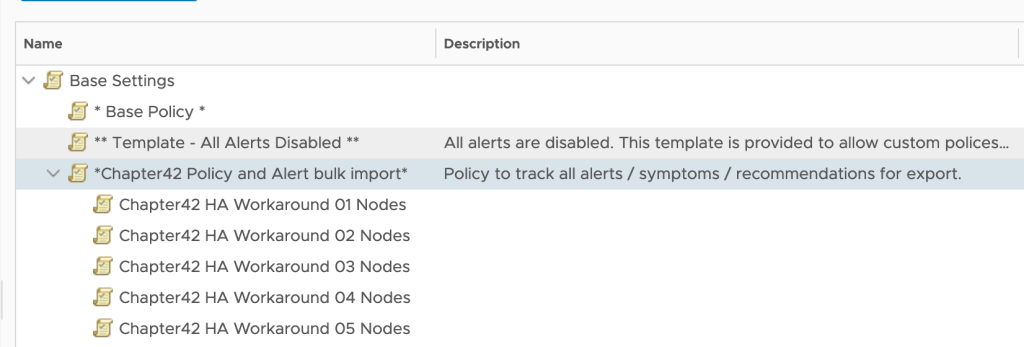
Then it’s possible to to just pick the new policy and apply the appropriate imported policy.
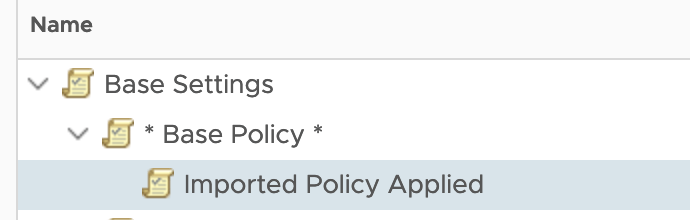
Build the new policy, ensuring that the policy will use the appropriate base policy.

Override the settings with the settings from the appropriate imported policy

And voila, quickly and easily migrate policies, alerts and supermetrics between vROps instances.
 Chapter 42